Family Command Center App: Building Your Digital Home Hub
Turn any tablet or screen into a powerful family command center with the right app and setup.
Family Command Center App: Transforming Your Home Into Mission Control
Step into the future of home management! If you've ever looked at your kitchen wall—covered in a chaotic collage of sticky notes, half-erased whiteboards, and that one mysterious drawing from 2022—and wished for a magic wand to organize it all, you're in luck. The 'Command Center' has evolved. It has moved from the dusty refrigerator door to the vibrant, high-definition digital screen. A family command center app is the ultimate upgrade for the modern household, turning any tablet or smart screen into a powerful, real-time window into your family's life. Imagine a Pixar-style mission control right in your hallway, where everything from dinner plans to chore progress is visible at a glance.
The Digital Hub Revolution: Why It’s Time to Upgrade
Traditional physical command centers are great in theory, but they have a fatal flaw: they require manual labor to stay relevant. You have to buy markers, find the eraser, and remember to cross out the 'Dentist' appointment that got moved three times. In a digital world, your schedule moves fast. Your command center should move with it.
By mounting a tablet in a high-traffic area of your home, you create a visual anchor. It’s a central point where the physical and digital worlds meet. It’s the place where the shared calendar becomes a public statement, ensuring that no one can say, "I didn't know we had soccer practice today!"
Designing for 'Glanceability': The Secret to a Great Hub
To create an effective digital command center, you need more than just a screen; you need software designed for 'glanceability.' This means that even if you're rushing past with a basket of laundry, you can get the information you need in three seconds or less. FamMedley is built with this philosophy at its core:
- High-Contrast, Vibrant Visuals: Our 3D-inspired design uses bold colors and clear icons (⚽, 🍕, 📚) that are easy to read from across the room.
- Interactive Widgets: Quick-add buttons allow you to tap a single icon to add 'Milk' to The Hive or check off a completed chore without ever leaving the main dashboard.
- Real-Time Mood Check-ins: See how everyone is doing at a glance. The Pulse widget shows recent family updates and mood emojis, bringing a layer of emotional connection to your logistics hub.
🚀 Mission Briefing
A digital command center reduces 'mental friction' by 50% by providing a single, undisputed source of truth for the entire household.
Detailed Use Cases: Your Hub in Action
1. The Entryway 'Pre-Flight' Check
Mount a screen right by the front door. As the kids head out for school, they can tap the 'Today' widget. It reminds them that it’s 'Library Book Day' or that they have after-school tutoring. It’s the final 'Pre-Flight' check before they launch into their day, ensuring they have everything they need for a successful mission.
2. The Kitchen 'Dinner Democracy'
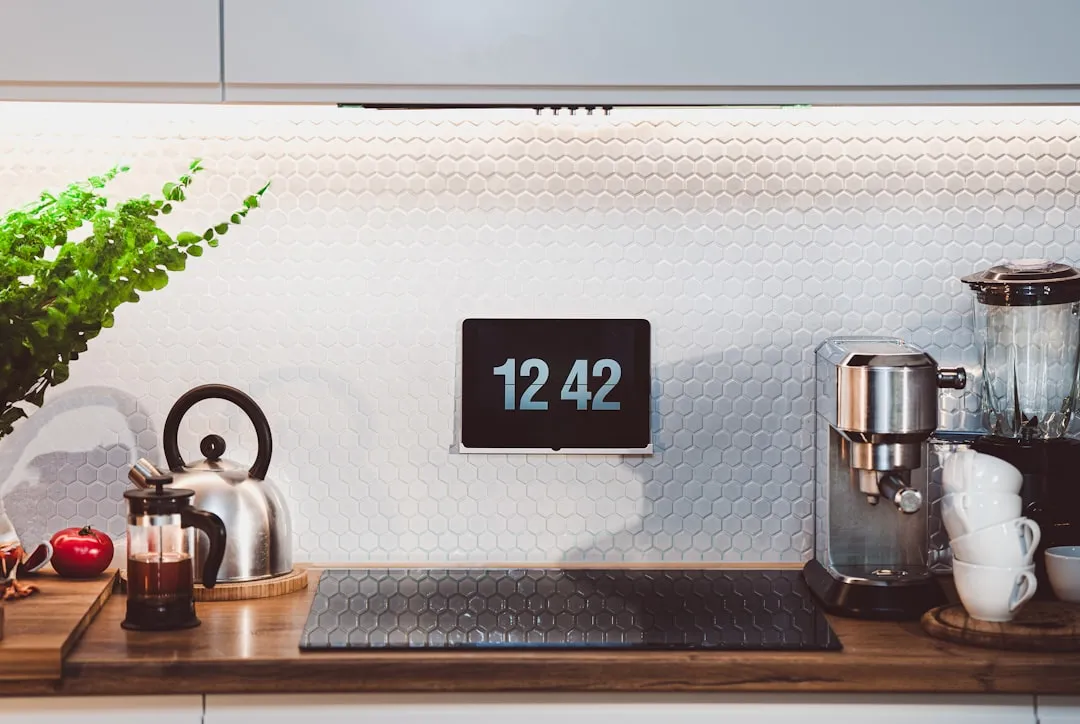
Keep a tablet on the kitchen counter or mounted under a cabinet. Use the Interactive Meal Planner to let everyone vote on tomorrow's dinner while they're snacking after school. It turns the 'What's for dinner?' debate into a fun, interactive game where the whole family has a voice.
3. The 'Chore Progress' Live-Stream
Turn your command center into a live leaderboard. Using The Game, you can display the family's weekly goals. As kids finish their 'quests' around the house, the progress bar on the wall-mounted screen fills up in real-time, accompanied by a satisfying animation. It provides immediate, public recognition for their hard work.
Expert Tips for Parents: Setting Up Your Home Hub
- Hardware Choice: You don't need the latest, most expensive tablet. An older iPad or an affordable Android tablet (like a Samsung Tab A) works perfectly. The key is a clear, bright screen.
- Kiosk Mode: Use your tablet's 'Guided Access' (iOS) or 'App Pinning' (Android) features to lock the device to the FamMedley app. This prevents the kids from accidentally exiting the Command Center to play games.
- Power Management: Plan for power! Use a long charging cable and hide it behind a slim cord cover, or better yet, use a recessed wall outlet for a completely 'floating' look. Set the screen to dim automatically at night to save energy.
- The 'Canvas' Rotation: Use The Canvas as your Command Center's screensaver. It can rotate through family doodles, vacation countdowns, and 'Member of the Month' shout-outs to keep the hub feeling alive and personal.
FAQ: Navigating the Digital Transition
Q: Won't another screen just lead to more screen time battles? A: Actually, it’s the opposite! Because the Command Center is a public, shared tool for logistics and cooperation, it’s viewed differently than a personal gaming device. It’s a tool for the family, not a toy for the individual. You can even use it to display and manage screen time limits.
Q: What about privacy if visitors see the screen? A: FamMedley allows you to customize what is shown on the 'Public' dashboard versus what is hidden behind a pin or only visible on personal devices. You can choose to show only the calendar and meal plan, keeping private The Pulse messages or sensitive medical appointments hidden.
Q: Is it hard to keep it updated? A: That’s the magic—it updates itself! Because it’s synced with everyone's phones, any change made on the go appears on the Command Center instantly. There’s zero manual maintenance required.
Q: Can we use it as a photo frame? A: Yes! When not in active use, FamMedley can cycle through your family's recent photos from The Pulse, turning your logistics hub into a digital memory gallery.
Conclusion: Your Household, Optimized
A family command center app is more than just a fancy digital clock. It’s the visual representation of your family’s commitment to working together as a team. It reduces shouting, eliminates confusion, and brings a touch of futuristic magic to your everyday routines. Whether you're coordinating a busy school week or planning an epic family vacation, FamMedley is the engine that keeps your mission on track. Ready to clear the clutter and light up your kitchen? Your command deck is waiting!